.png)
About Us
More Info
Our Services
Our Services Provide fast, reliable & stable internet with efficient & effective repair teams and have a courteous and accommodating customer relation team. Good after sales and customer relations services where you can talk to us thru group chats or Call & Text messages regarding to your Concerns




Video Tutorial
For more information regarding our services and manual materials on how to operate our products, please watch our online video series by clicking the link button "CLICK HERE".
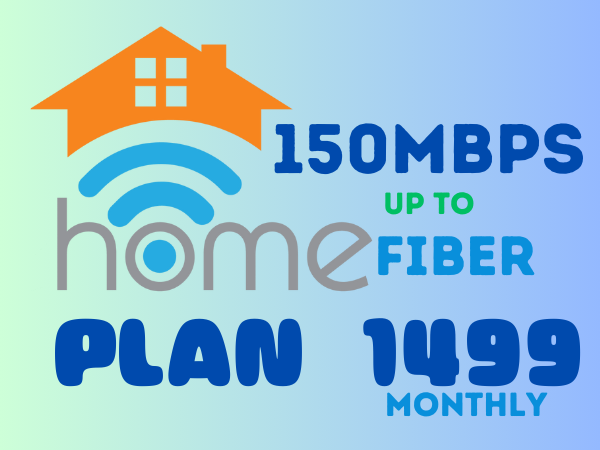
SUBSCRIPTION PLAN
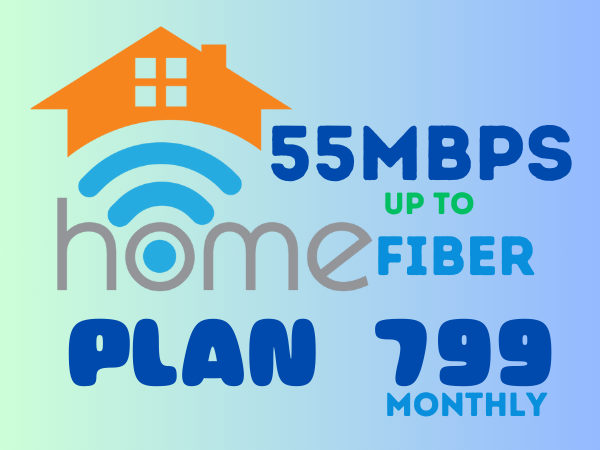
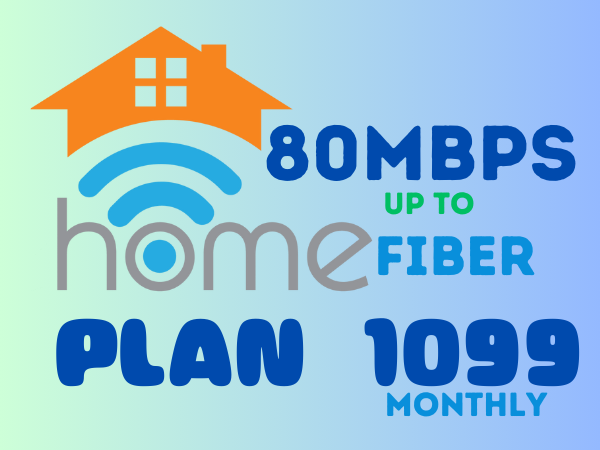
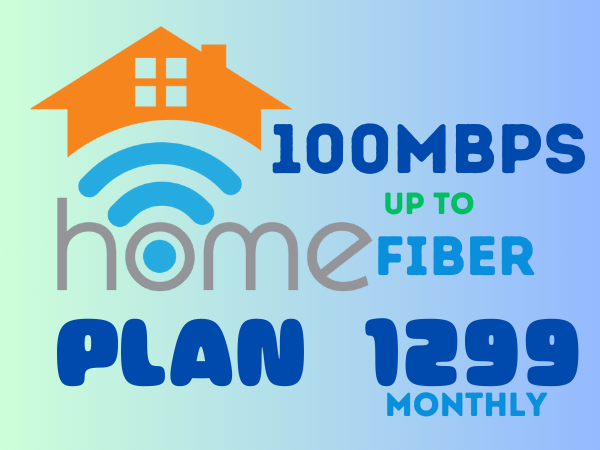
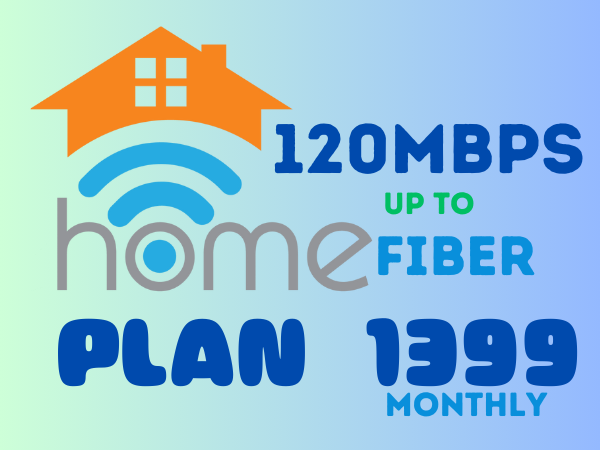
Choose the plan that best suits your requirements, and experience the power of high-speed internet with EnJ Wireless Communication Services. Here are our competitively priced internet plans at EnJ Wireless Communication Services:
Frequently Asked Questions
-
How to apply to EnJ Fiber Internet ?
Confirm Availability: Before applying for a fiber line, ensure that fiber optic service is available in your area. Visit the ISP’s website or contact customer support to verify availability by providing your address or location.
Choose a Service Provider: Identify which ISPs offer fiber optic services in your area
Choose a Plan: Select a suitable fiber plan based on your needs: Speed: Choose based on the required bandwidth (e.g., 100 Mbps, 500 Mbps, 1 Gbps, etc.). -
Why is my internet speed slower than expected?
Possible Causes:
Network congestion or high traffic. Router positioning and interference from other devices. Old or damaged cables. Multiple devices connected to the network. Throttling by your internet service provider (ISP). Solutions:
Restart the router. Update your router firmware. Check for interference from nearby devices or change your Wi-Fi channel. Upgrade your internet plan if needed. -
Why does my connection keep dropping?
Possible Causes:
Weak Wi-Fi signal or interference. Router overheating or malfunctioning. Network congestion during peak hours. Outdated router or modem. Solutions:
Place the router in a central location. Ensure the router has proper ventilation. Reset or upgrade your router. -
Why is the Wi-Fi signal weak in certain areas of my home?
Possible Causes:
Physical obstacles like walls, furniture, or appliances. Distance from the router. Wi-Fi interference from other devices (microwaves, cordless phones).
Solutions:
Place the router in an open area away from obstructions. Use a Wi-Fi extender or mesh network system. Switch to a less crowded Wi-Fi channel. -
No Internet Connection
Possible Causes:
ISP outages or maintenance. Incorrect router configuration or settings. Faulty cables or fiber optic line damage.
Solutions:
Check if the ISP has any outages in your area. Verify that all cables are securely connected. Restart the router and check the settings. Contact customer support if the issue persists. -
Why is my router restarting by itself?
Possible Causes:
Router overheating. Power supply issues. Firmware malfunction or outdated software.
Solutions:
Ensure the router is in a well-ventilated area. Use a stable power source. Update the router firmware or contact support. - How to change wi-fi name and wi-fi password of 5V5 fiber modem?
Contact
Address:
San Jose Narvacan Ilocos Sur, Philippines
Email:
jhaywisp@gmail.com
Contact:
09511192203/09306301586
.png )